|
|
HomeDemo-Tourüber myfiles.deüber unsJobsSupportKontakt |
|
|
|
 |
|
|
|
|
|
|
|
Wann brauche ich myfiles.de?
myfiles.de brauche ich, wenn ich
Mehr Beispiele und genaue Beschreibungen
finden gibt es in der Bedienungsanleitung
|
 |
Individuelle Grußkarten/eCards
überraschen Sie Ihre Freunde,
Bekannten oder Ihre Familie mit einer ganz persönlichen Grußkarte!
Egal, ob zu Weihnachten oder aus dem Urlaub, ob als Liebesbeweis
oder zur Erinnerung - Anlässe für einen netten, frechen,
lustigen Gruß gibt es in Hülle und Fülle.
Als eCard können Sie jedes beliebige Foto versenden, das Sie in einem
Fotoalbum bei myfiles.de gespeichert haben. Neue Motive laden Sie von Ihrem
Computer oder aus dem Internet in Ihr myfiles.de Fotoalbum.
|
 |
Teamfunktionen
Die Zusammenarbeit mit Kollegen an anderen
Standorten ist kein Problem mit den myfiles Team-Funktionen.
Bestimmen Sie genau
wer welche Dokumente lesen oder speichern darf.
Laden Sie Kollegen
oder Kunden ein als Mitbenutzer* ein gemeinsam Dokumente
schnell einfach und sicher auszutauschen und zu bearbeiten.
Stellen Sie gezielt speziellen Kunden Informationen
zur Verfügung oder arbeiten Sie
im standort-übergreifenden Team. Die
Zugangsdaten
werden
auf Wunsch dem Mitbenutzer direkt zugeschickt
oder Sie kontrollieren dies selbst. Die Abrechnung erfolgt für
den Eingeladenen unsichtbar über Ihr Konto.
|
 |
Fotoalbum
Mit myfiles.de erstellen Sie per einfachem Mausklick ein digitales Fotoalbum, das Sie sofort mit Ihren Freunden und Bekannten teilen können oder für Ihre Online-Auktionen nutzen können. Am einfachsten legen Sie die Fotos im Ordner "my-photos" des öffentlichen Ordners ab. Das öffentliche Fotoalbum steht nur zahlenden myfiles Benutzern zur Verfügung. Wenn nur ganz bestimmten Personen die Fotos sehen sollen benutzen Sie die Team Funktionalität.
Im Fotoalbum werden gespeicherten Bilder in einer sogenannten "Thumbnail-Darstellung" verkleinert als Index angezeigt. Somit ist das lästige Suchen nach dem gewünschten Motiv unter seltsamen Namenskürzeln vorbei.
Oder Sie lehnen sich für eine automatische Diashow im Sessel zurück. Zum Anschauen klicken Sie wie vom CD-Player gewohnt mit Pfeiltasten weiter oder lassen alle Fotos automatisch anzeigen.
Weitere Möglichkeiten:
Verschicken Sie Ihre Fotos als eCards.
Das Praktische dabei: Bei all dem
benötigen Sie keine zusätzliche Software auf dem Rechner, sondern nur Ihren
Internet-Browser. myfiles.de stellt Ihr persönliches Fotoalbum ins
Internet.
|
 |
Homepage my-web
mit my-web können Sie mit wenigen
Klicks ohne technische Vorkentnisse Ihre eigene Homepage erstellen.
Die von erfolgreichen Grafikern entworfenen Vorlagen führen
mühelos zu enem tollen Ergebnis. Dazu gehören Vorlagen
für Bewerbungsseiten,
Reiseberichte, Web-Gallerien und viele andere.
Wenn Sie eine Idee für eine neue
Vorlage haben, schreiben Sie uns an support@myfiles.de. Vervollständigt wird das Angebot durch einen
eingebaute Webstatistik und ein Gästebuch in dem sich alle besucher
eintragen können. |
 |
Online Auktionen
Alle im Ordner Öffentlich > my-photos abgelegte Bilder können Sie ganz einfach in Auktionen einbinden.
Unabhängig von der Größe des ursprünglichen Bildes haben Sie dabei
die Auswahl zwischen verschiedenen Ansichtsgrößen von Thumbnail bis
zur Vollansicht. Um Bilder einzubinden benötigen Sie die spezielle Adresse des Bildes,
das Sie einbinden möchten:
a) Wählen Sie das Foto im Ordner my-photos aus
b) Klicken Sie auf den Button Link auf der rechten Seite.
c) Wählen Sie die gewünschte Auflößung.
d) In dem Eigenschaften Fenster markieren Sie die Adresse / URL mitgedrückter linker Maustaste und kopieren den Text z.B. mit Strg-C . Stellen Sie sicher dass Sie den ganzen Text kopiert haben der sich über mehrere Zeilen erstrecken kann.
e) Diese Adresse fügen Sie ohne Veränderungen an der entsprechende Stelle ein.
Hier einige Beispiele wie das Ergebnis
aussehen kann (mehr). Die speziellen Verfahren die z.B. Ihr
Auktionshaus benötigt,
entnehmen Sie bitte den dessen Informationen.
|
 |
Email Attachments
empfangen mit my-mail
Eine wichtige Datei im Büro vergessen
- Ihr Kollege schickt Sie Ihnen direkt in den myfiles Account.
Speichern Sie alle Fotos von der letzten Party auf einmal oder
eine viele MB grosse Powerpoint Datei, alles kein Problem.
Jeder myfiles Benutzer hat dazu eine eigene
Emailadresse: "Login-Name"@myfiles.de
Damit können Sie sich selbst oder
Andere Ihnen Nachrichten und Dateien In den Eingangskorb Ihres
myfiles
Account schicken.
Auch wenn Sie viele oder große Dateien by-myfiles
ablegen wollen ist dies ideal: Kein langwieriger Upload über
den Browser. Das Email-Programm erledigt das im Hintergrund. Anders
als bei
vielen Web-Mail Angeboten gibt es, ausser dem freien Speicherplatz
in Ihrem myfiles Account, keine Einschränkung in der Größe
der verschickten Datei(*).
|
|
Damit das Postfach
nicht vor Werbung überquillt, gehört zu dem Email-Postfach
ein sogenannter Spam-Filter der unerwünschte Werbemails automatisch
erkennt. Er verschiebt diese in ein spezielles Verzeichnis wo
sie mit einem Klick gelöscht werden können.
|
|
Ein Virenscanner überprüft automatisch
alle eingehenden E-Mails. Befallende Daten
werden zur Sicherheit erst gar nicht erst in Ihrem myfiles-Account
abgelegt. Über
ein Protokoll erfahren Sie, mit welchen Viren die Dateien infiziert
waren. Der von myfiles verwendete Scanner prüft mit
zwei unabhängigen Methoden auf Viren und ist durch tägliche
Updates stets auf dem neuesten Stand.
*) Für Testaccounts gilt eine Beschränkung
von 1.5 MB. Wenn Sie lieber keine Email auf myfiles empfangen
möchten,
deaktivieren Sie den Emailempfang innerhalb von "Einstellungen" / "Post
Eingang".
|
 |
Auf Reisen
Nutzen Sie myfiles.de, um immer auf Ihre wichtigsten Daten zugreifen zu können. Egal, ob im Büro, von zu Hause oder auf Reisen. Immer wenn Sie Zugang zum Internet haben, haben Sie auch automatisch Zugriff auf Ihr myfiles.de.
Und wenn Sie lieber ganz ohne Hardware unterwegs sind: Bei einem Drink im Internetcafé können Sie entspannt Ihr Reisetagebuch schreiben. Während Sie noch unterwegs sind, lesen die Kollegen bereits von den Highlights Ihrer Motorradtour quer durch die USA.
|
 |
Schüler oder Student
Wer regelmäßig im Computerraum von Uni oder Schule arbeitet, kennt das Problem: In der Regel müssen am Ende der Session alle Daten von der Festplatte gelöscht werden. Texte können ja noch relativ problemlos vorher auf Disketten kopiert werden. Bei Grafiken oder anderen Bilddateien wird es schon schwieriger: Ohne aufwändiges Zippen ist eine Übernahme nicht möglich.
Und richtig ärgerlich ist es, wenn man gar nicht erst mit der Arbeit anzufangen braucht, weil die aktuelle Version der Diplom- oder Hausarbeit nur zu Hause auf dem Rechner liegt.
Mit myfiles.de können Sie immer auf die letzte Fassung Ihres Dokuments zugreifen, ohne ständig einen Stapel Disketten mit sich herumzutragen.
|
 |
Am Arbeitsplatz
Private Daten speichert man grundsätzlich nicht gerne auf der Festplatte oder im unternehmenseigenen Netz. Schon gar nicht, wenn man sich den Rechner mit einem Kollegen teilt oder es sich um vertrauliche Dokumente handelt.
Mit myfiles.de können Sie sicher sein, daß nur Sie Zugriff auf sensible Informationen haben. Und dass deshalb weder der Entwurf Ihres Kündigungsschreibens noch Ihr Antrag auf Erziehungsurlaub plötzlich zum Firmengespräch wird.
|
 |
Grosse e-Mails
e-Mails mit Anhang sind oft ein Ärgernis.
Sind die eingebundenen Dateien zu groß, werden sie von vielen
Free-Mail-Diensten von vornherein abgeblockt: Mehr als insgesamt
3 MB je Anhang sind in der Regel im Posteingang nicht verfügbar.
Aber auch bei kommerziellen Providern gibt es häufig Probleme: Manchmal lassen sich Anhänge nicht öffnen. Oder große Datenmengen müssen zerstückelt in mehreren Mails geschickt werden, da selbst die gezippte Version noch eine langsame Modem-Verbindung lahm legen kann.
Die Alternative ist klar: Auf myfiles.de können Sie von jedem Rechner aus
zugreifen. E-Mails mit Anhang gehören der Vergangenheit an.
|
 |
Im Team
Bei den meisten Unternehmen sind heute leistungsfähige DV-Netze längst etabliert: Dokumente werden in allgemein zugänglichen Ordnern hinterlegt, Grafiken können von mehreren Usern eingesehen werden, Datenbanken stehen allen Mitarbeitern gleichzeitig zur Verfügung.
Privat sieht dies natürlich anders aus: Der PC zu Hause ist in kein System eingebunden. Doch manchmal möchte man auch hier gemeinsam auf Daten zugreifen können: Studenten bereiten oft in Arbeitsgruppen Referate vor. Schüler- und Vereinszeitungen werden von verschiedenen Autoren verfasst. Praktisch, wenn immer der aktuelle Stand der Artikel dem ganzen Team bekannt ist.
Nutzen Sie myfiles.de als Ihr eigenes Netzwerk für den Datenaustausch in kleinen Gruppen.
|
 |
MP3-Songs
Die große Auswahl von Titeln im digitalen Format, die im Internet zum Download angeboten werden, versetzt die Musikindustrie derzeit in Panik. Wenn Sie auch zu den Fans von MP3 gehören und außerdem Free-Mail-User sind, kennen Sie aber auch folgendes Problem: Ein durchschnittlicher Song ist zu groß für Ihren Posteingang. Was tun, wenn Sie ihn dennoch problemlos mit Freunden austauschen wollen?
Keine Frage: Mit myfiles.de gehören diese überlegungen der Vergangenheit an.
|
 |
Kompatibilität
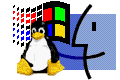
Auf Dateien in myfiles.de können Sie unabhängig von Ihrem Betriebsystem zugreifen. Egal, ob Sie Windows, Apple Macintosh oder Linux benutzen. Alles was Sie zur Nutzung von myfiles.de benötigen ist ein Internet-Browser.
|
 |
Virtuelles Diskettenlaufwerk
Mac-Anwender kennen das Problem des fehlenden internen Diskettenlaufwerks zur Genüge. Da die neuen Macs ohne Diskettenlaufwerk ausgeliefert werden, lassen sich Daten nicht einfach mal schnell auf Diskette speichern und am anderen Rechner wieder einlesen. Jetzt gibt es die Lösung: myfiles.de - das "virtuelle Laufwerk" für alle Rechner mit Internetanschluss. Auch ohne Diskettenlaufwerk.
|
 |
Bookmarks/Favoriten immer dabei
Die besten Seiten im World Wide Web sind dank der Bookmark-Funktion von myfiles.de immer griffbereit. Auch wenn Sie nicht an Ihrem eigenen PC sitzen, sondern unterwegs sind, können Sie gezielt Ihre Lieblingsseiten aufrufen. Und das Beste: Sie können auch Ihre Lieblingslinks mit Freunden und Bekannten
austauschen.
|
 |
Bookmarklet
Sie haben eine interessante Webseite
gefunden und möchten sie immer wieder und von überall
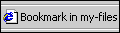
abrufen? Mit dem myfiles.de Bookmarklet können Sie jede
Webseite, auf der Sie sich gerade befinden, als Bookmark (Favorit)
in Ihren myfiles.de Eingangskorb legen.
Ziehen Sie einfach diesen Link >>Bookmark
in myfiles<< mit gedrückter linker Maustaste
in die Linkleiste Ihres Browsers.
Beim Surfen klicken Sie dann in Ihrer Linkleiste
auf "Bookmark in myfiles". Schon wird die Adresse (URL)
der Seite in Ihrem myfiles.de Eingangskorb abgelegt!
|
 |
Bookmark-Import
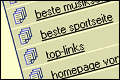
Mit nur einem Klick können Sie alle bestehenden Bookmarks aus Ihrem Browser
in myfiles.de importieren. Dieses Tool wird leider nur vom Internet
Explorer ab der Version 5.0 unterstützt. Trotzdem wollten wir Ihnen diese
nützliche Funktion nicht vorenthalten.
|
 |
Web-Transfer
über Partner-sites von myfiles.de können Sie mit einem Mausklick MP3s, Software oder andere Dateien direkt in myfiles.de speichern. Unabhängig von Ihrem Rechner können Sie sich so die besten Files aus dem Web sichern. Der Transfer belastet das eigene System nicht, da er im Hintergrund und direkt von Server zu Server abläuft.
|
| |
* Nicht
in allen Pakenten verfügbar. Für Detailes beachten Sie bitte
die Preisliste |